
Error Status Colors
The test station display bottom line explained
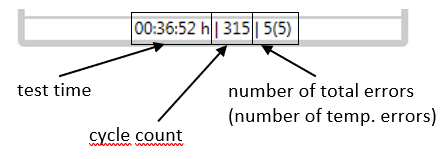
The bottom line of a test station box displays 4 different information:
- current test time
- current test cycle
- number of total errors (1)
- number of temporary errors (2)
(1) This is the number of error entries (lines) you will see in F4 dialog "total error counters"
(2) This is the number of error entries (lines) you will see in F4 dialog "temporary error counters"
Test station display status colors
The station boxes in main window can be configured to be more colorful in order to display the current status of a station. You can enable this feature in menu Configuration > Test panel configuration.
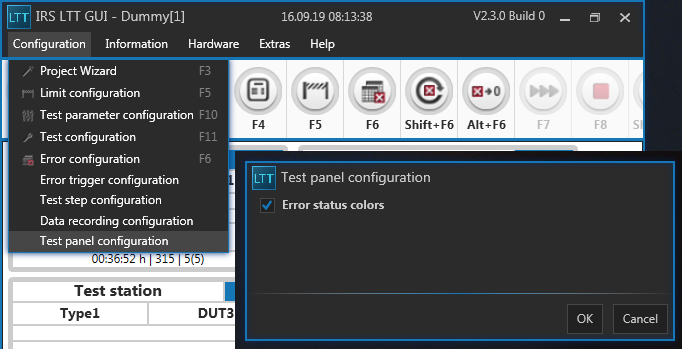
Once you have this feature enabled, the station display bottom line has the following colors during a test run:
| Color | Meaning | Example |
|---|---|---|
| GREEN | no error happened (ever) | … |
| RED | there are one or more limit errors in current cycle | … |
| ORANGE | no errors in current cycle, but some errors happened in previous cycles | … |
| YELLOW | no errors since the last temporary errors reset | … |