

Main Screen
The main screen consists of only two areas:
- Tool bar
- Tabs
Toolbar
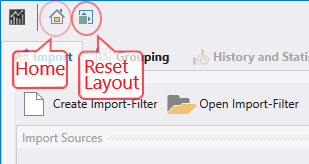

Click on this icon to switch to the start screen

Clicking on this icon resets the display and arranges the windows in the default layout
Tabs

Tabs represent certain workflow steps and guide the operator through the program:
- Import
- Grouping
The following tabs are available if import and grouping tasks are completed:
- History and Statistics
- Error Distribution
- Graph Comparison
- Similarity Analysis
- Trend Analysis
- Watchlist
A tab consists of several areas and usually contains its own menu bar. In this menu bar, tab-specific buttons are displayed which the user can use to call up special functions. For example, the display can be changed, the help can be called up or the data export can be started.