

Initial Setup Guide
If you start a brand new LTT GUI installation for the first time you need to perform certain setup tasks before you can load and run a LTT TestStand sequence file.
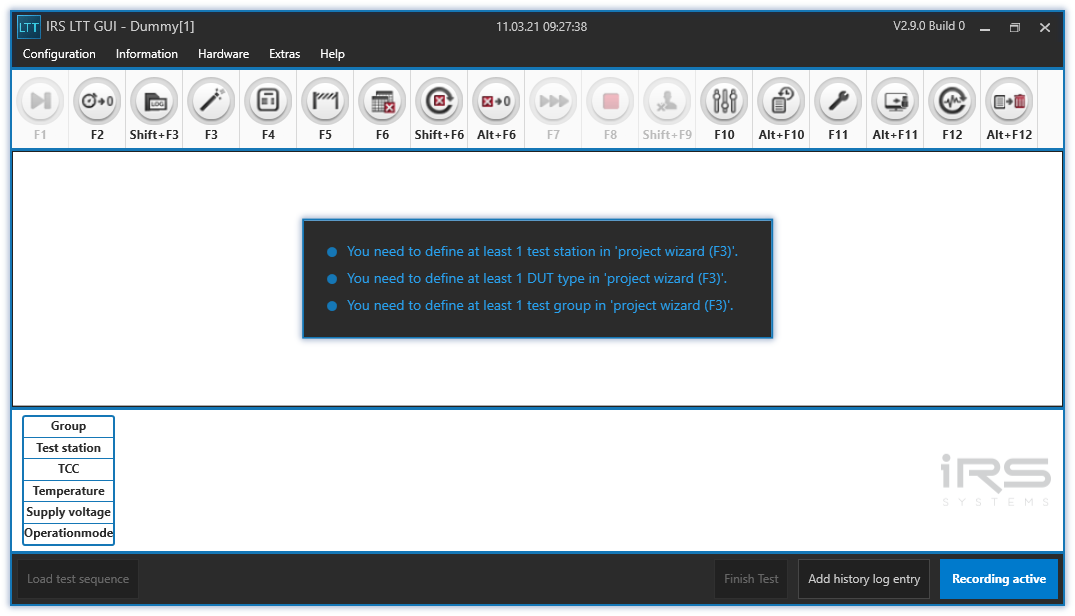
Although the GUI assists you with this task by displaying various messages, an overview of the minimum steps needed to run a LTT TestStand sequence file is given right here.
Each of the below steps links to the corresponding chapter in which the required action will be explained in detail. In each of those chapters a back link to this setup guide is provided, so you can easily jump between the setup guide and the individual topics.
For the first 3 steps the LTT GUI may not be open. Please close the GUI if you have it currently open.
| Step | Action | Location |
|---|---|---|
| 1 | Set project name | Main configuration file |
| 2 | Setup drivers | Module configuration file |
| 3 | Setup DUT signals | MesSy configuration file |
| 4 | Create test stations | F3 - project wizard |
| 5 | Define DUT types | F3 - project wizard |
| 6 | Define test groups | F3 - project wizard |
| 7 | Define / import signals | F3 - project wizard |
| 8 | Define limits | F5 - limit configuration |
| 9 | Define operation modes and parameters | TestStand sequence file |
| 10 | Load a TestStand sequence file | Main window |
| 11 | Create a TCC <> operation mode mapping | F10 - test parameter configuration |
| 12 | Assign DUTs to test stations | F11 - test configuration |
| 13 | Start test | Main window |